

Logging
Membrane keeps and provides you with detailed logs of what is happening in your integrations:Webhook Notifications
To get notified when an important event happens in your integration workspace, you can subscribe to webhook notifications. Learn more about webhook notifications here: Webhook NotificationsTroubleshooting
There are usually three types of problems with integrations:- Integration ran but resulted in an error.
- Integration ran but didn’t do what you expected it to do.
- Integration did not run when you expected it to.
Errors
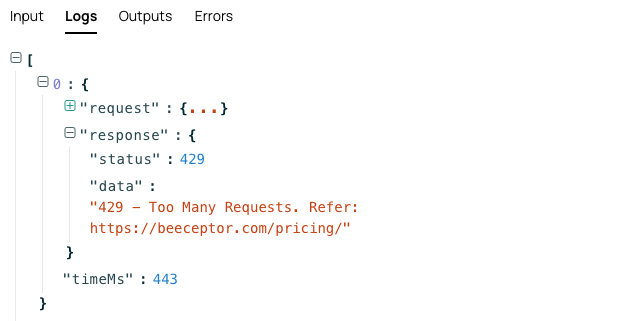
When integration errored, follow red dots to find the reason: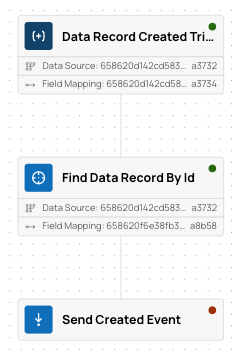
Integrations not doing the right thing
When integration ran, but didn’t do what you expected it to do, go to the Flow Run page and trace its execution step by step.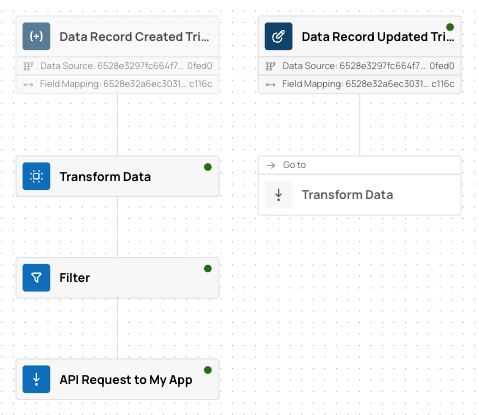
Integration Not Running
When you expected an integration to run, but it did not, check the following:- Check event logs to see if the events you expected did happen:
- External Events for events from connected systems.
- Internal Events for internal events.
- If events did happen, check the event details to see if it launched the integration you expected. If not, check the trigger configuration.
- If events did not happen, check the following:
- For external events: find the relevant External Event Type subscription and inspect its subscription request, webhook URL, and recent deliveries.
- For internal events:
- If you have per-tenant subscriptions, go to the Tenant Subscriptions page, find the subscription you expected to generate the event, and see its details.
- If you use shared event intake, send a test request and check the response.
Detailed Logs for API requests
To see detailed execution logs for any API request you make, you can addlogs=1 to the query parameters of the request.
The response will contain a _logs property with the detailed logs.
Note: this only works when the response is a JSON object.