> ## Documentation Index
> Fetch the complete documentation index at: https://docs.membrane.agency/llms.txt
> Use this file to discover all available pages before exploring further.
# Integrations
Integration represents a relationship between your product and a given external app.
## Integration Definition
Integration looks like this:
```yaml theme={null}
name: Github
key: github
logoUri: https://static.integration.app/connectors/github/logo.png
appUuid: c04f4af3-1704-4693-86a4-9af453205335
conectorId: 62471fad996d5c297ae43f5f
connectorVersion: 2.3.1
authOptions:
- title: API Key
description: Connect using one of the Github API key types
type: client-credentials
- title: OAuth
description: Connect in one click by approving this app's access
type: oauth2
```
In this definition:
* `logoUri` - URL of the publicly available image with the integration logo.
* `appUuid` - uuid of the [External App](/reference/workspace-elements/external-apps) this integration is related to.
* `connectorId` - id of the [Connector](/reference/workspace-elements/connectors) this integration uses.
* `connectorVersion` - a published version of the connector. If empty, development (unpublished) version of the connector is used.
* `authOptions` (read-only) - list of available authentication options based on the connector and integration parameters. The format of auth options matches the auth config from the [Connector](/reference/workspace-elements/connectors) definition with all the [Formulas](/docs/references/formulas) resolved (if there were any).
## Connector Parameters
If connector integration uses has parameters, you can store them on the integration level.
For security reasons, parameters are not returned or saved as a part of the integration definition. You can manipulate them using [Get integration parameters](/api-reference/integrations/get-integration-parameters) and [Set integration parameters](/api-reference/integrations/set-integration-parameters) API endpoints.
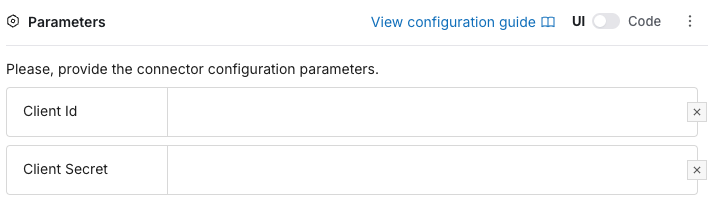
In the UI, you can edit connector parameters in the Parameters section of the integration config: