> ## Documentation Index
> Fetch the complete documentation index at: https://docs.membrane.agency/llms.txt
> Use this file to discover all available pages before exploring further.
# Apps
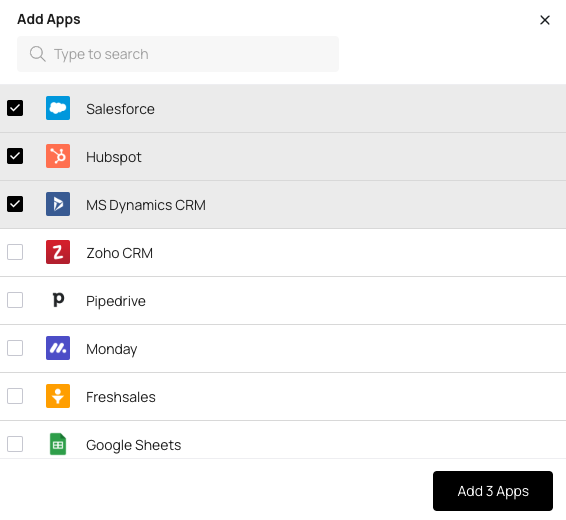
You can add, configure, and remove your integrations with external apps from the [Apps](/reference/workspace-elements/connectors) section of the console.
When adding apps, you can choose from a list of supported integrations we have in our library or write in your own.
## Connector
To interact with an external app, it needs a [connector](/reference/workspace-elements/connectors).
For popular apps, you can usually find a connector in our library of public connectors.\
For less popular apps, you can create a custom connector using [Connector Builder](/reference/workspace-elements/connectors) or ask our Solutions team to do this for you (with a predictable cost and time).
### Configuring Connectors
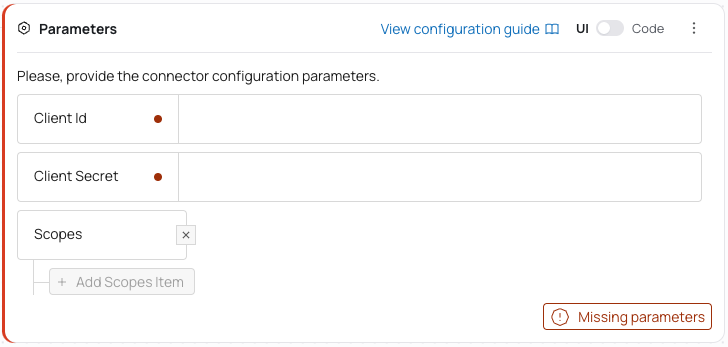
Some connectors may require you to configure them. In those cases, there will be configuration documentation you can follow:
 ### Connector Versions
All connectors are versioned. A connector will never be updated without your consent. You can rely on the connector logic to be unchanged as long as the version stays the same.
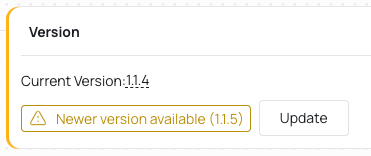
If there is a new version of a connector available, you will see a notification and will be able to update it in one click:
### Connector Versions
All connectors are versioned. A connector will never be updated without your consent. You can rely on the connector logic to be unchanged as long as the version stays the same.
If there is a new version of a connector available, you will see a notification and will be able to update it in one click:
 You can also switch to any other connector version by clicking on the current version number.
Connectors follow semantic versioning scheme, which means:
* If the last digit of the version is changed, it is a patch update. It usually includes bug fixes or minor improvements. It should be safe to update.
* If the middle digit is changed, it is a minor update. It usually includes new features or changes that are backward-compatible. It may include breaking changes, so you should read the changelog to see if it's safe to update.
* If the first digit is changed, it is a major update. It usually includes breaking changes. You should review the changes and test the integration before updating, or consider creating a new integration with the new connector version and deprecating the current one.
### Switching Connectors
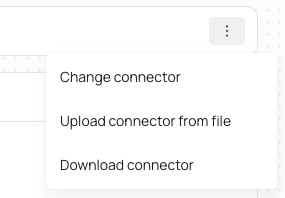
You can switch a connector used for this app to a different one. The most common scenario is switching between a public connector and a custom connector you've created.
You can also switch to any other connector version by clicking on the current version number.
Connectors follow semantic versioning scheme, which means:
* If the last digit of the version is changed, it is a patch update. It usually includes bug fixes or minor improvements. It should be safe to update.
* If the middle digit is changed, it is a minor update. It usually includes new features or changes that are backward-compatible. It may include breaking changes, so you should read the changelog to see if it's safe to update.
* If the first digit is changed, it is a major update. It usually includes breaking changes. You should review the changes and test the integration before updating, or consider creating a new integration with the new connector version and deprecating the current one.
### Switching Connectors
You can switch a connector used for this app to a different one. The most common scenario is switching between a public connector and a custom connector you've created.